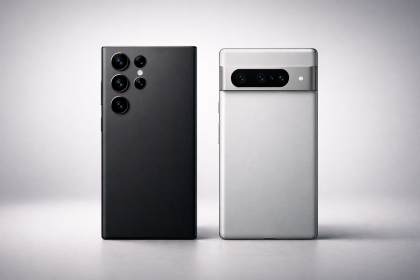


Samsung is already pushing out the February 2026 security update to some of its newest flagship devices — including the Galaxy S25 lineup and recent foldables — in what looks like a stability-first move ahead of the Galaxy S26 cycle.
According to Android Headlines, the February 2026 patch has started rolling out for the Galaxy S25 series, Galaxy Z Fold 7, Galaxy Z Flip 7, and even Samsung’s TriFold, focusing on vulnerability fixes and overall stability rather than new user-facing features.
What’s Included in the February 2026 Patch
Most monthly Samsung releases in 2026 follow a consistent pattern: Google’s Android security fixes plus Samsung-specific patches that address platform-level and device-level issues. On the Android side, Google publishes the monthly patch details through the Android Security Bulletin, which serves as the baseline for OEM rollouts.
Samsung then packages those fixes under its Security Maintenance Release (SMR) process. You can track Samsung’s monthly security cadence and package notes directly via the company’s official Samsung Mobile Security Updates page.
Why Samsung Is Moving Early This Month
Early rollouts often signal one of two things:
- Pre-launch stability pressure — Samsung typically tightens the software stack before major flagship announcements.
- Security optics — staying ahead on patch delivery helps preserve trust, especially as phones become more AI-integrated and permission-heavy.
Even if this patch doesn’t introduce new features, it matters — because security updates reduce the risk surface for devices that are increasingly used for payments, authentication, and private messaging.
Which Devices Are Getting It First
Initial availability appears focused on Samsung’s current-generation flagships: the Galaxy S25 family and the newest foldables. As with most Samsung updates, rollouts expand over time depending on region, carrier certification, and model variants.
If you haven’t seen the update yet, that doesn’t mean you’re skipped — it typically arrives in waves.
How to Check Your Patch Level
- Go to Settings → Software update → Download and install
- Then check Settings → About phone → Software information for the security patch date
It’s also worth noting that Google’s bulletin sometimes uses multiple patch level dates for different fix tiers. The official Android Security Bulletin explains how patch levels map to the included fixes.
Final Take
This isn’t a headline-grabbing update — but it’s the kind that matters long-term. As Samsung prepares for its next flagship wave, keeping current devices patched and stable is a smart move, especially for users running always-on services, passkeys, and increasingly AI-driven workflows.